

Integrating news services within email clients has revolutionized the way we consume digital content. Yahoo Mail, one of the most historic and widely used platforms in the world, offers a dashboard rich in features that goes far beyond simple message reception. Optimizing this space means transforming a simple inbox into a true daily control center, capable of providing real-time updates on topics of greatest interest.
Why Customize Yahoo News in the Dashboard
Customizing Yahoo News within the Yahoo Mail dashboard allows you to transform your mailbox into a tailored information hub. By selecting specific topics and managing widgets, you optimize your workflow and reduce daily distractions.
According to industry data on web interface usability updated to 2026, users who actively configure their digital workspaces save an average of 15 minutes a day searching for information. The Yahoo sidebar, if well set up, avoids having to open additional browser tabs to check the weather, financial market trends, or the latest breaking news. Filtering background noise is the main advantage of this operation, ensuring that the algorithm proposes exclusively high-value content for the user.
Prerequisites for Configuration
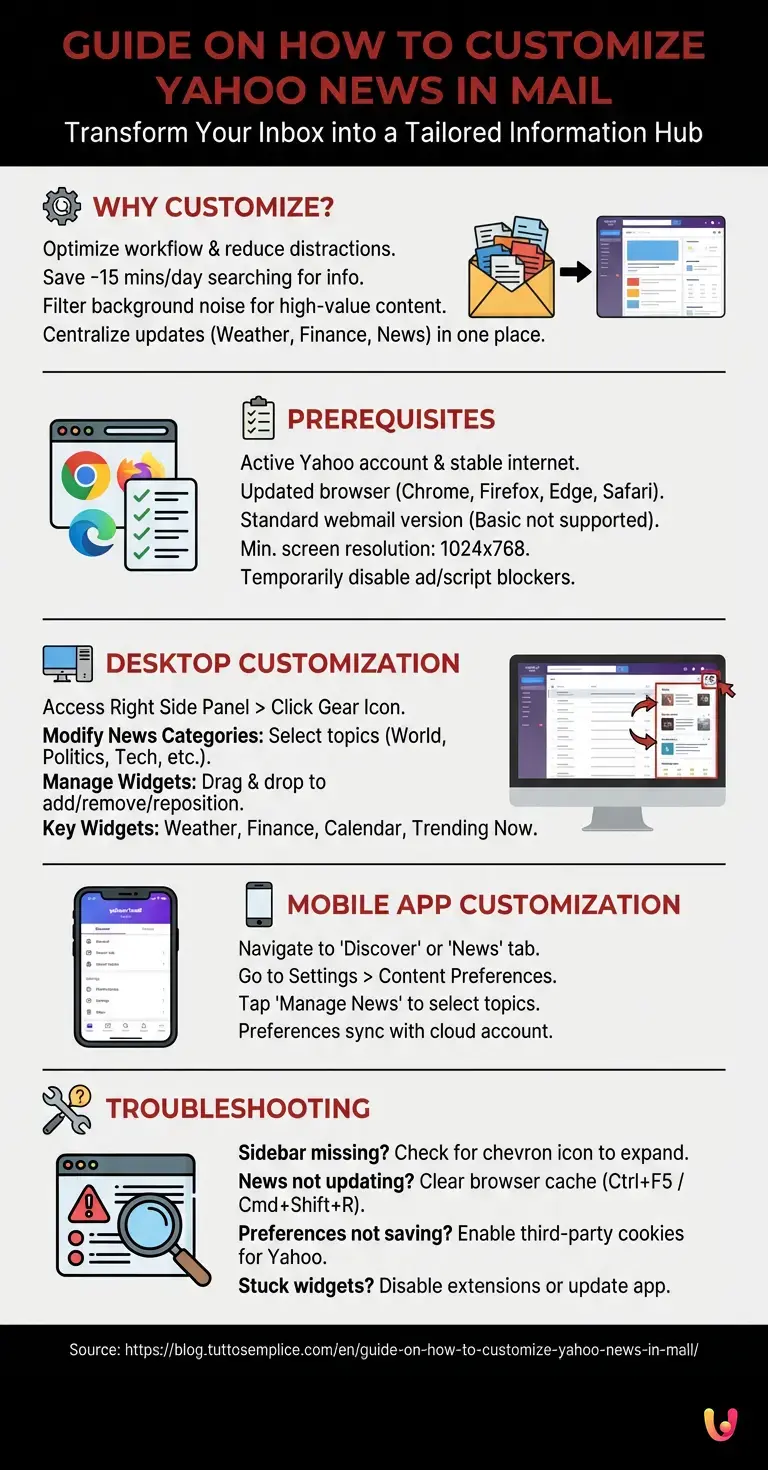
Before proceeding to customize Yahoo News, it is essential to have an active Yahoo account, a stable internet connection, and an updated browser. Also, ensure you have logged into the standard version of the webmail, as the basic version does not support widgets.
To ensure a smooth experience without technical hitches, verify that you meet the following system requirements, as indicated in the official Yahoo documentation:
- Supported browsers: Latest versions of Google Chrome, Mozilla Firefox, Microsoft Edge, or Apple Safari.
- Screen resolution: Minimum 1024×768 pixels to correctly display the right sidebar without overlapping.
- Extensions: Temporary deactivation of ad-blockers or script blockers (e.g., uBlock Origin, NoScript) that might inhibit the loading of dynamic news modules.
How to Customize Yahoo News from Desktop

To customize Yahoo News from a desktop computer, access your Yahoo Mail inbox and locate the right side panel. From here, by clicking on the gear icon, you can select sources, reorder widgets, and filter news based on your interests.
The desktop interface offers the highest degree of control over feed preferences. Once logged in, the main screen will present the list of emails in the center and a ribbon bar on the right. It is precisely in this area that the flow of information provided by the Yahoo network is concentrated.
Modifying News Categories
Modifying categories is the first step to customize Yahoo News effectively. By accessing the feed settings, you can check topics such as finance, sports, or technology, ensuring that the algorithm shows only updates relevant to your daily browsing.
To refine your feed, follow this detailed procedure:
- Locate the News module in the right sidebar.
- Click on the three dots icon (Options) located in the top right corner of the module.
- Select the Customize topics item from the dropdown menu.
- A modal window will open containing various categories (World, Politics, Entertainment, Health, etc.). Check or uncheck the boxes according to your preferences.
- Click on Save to immediately apply changes to the integrated RSS feed.
Managing Sidebar Widgets
Managing sidebar widgets is fundamental when you decide to customize Yahoo News. You can add, remove, or reposition modules like weather, calendar, or stock quotes by dragging them directly into your email dashboard interface.
In addition to text news, Yahoo Mail supports various mini-applications (widgets) that enrich the visual experience. Here is an overview of the most useful widgets and their functions:
| Widget Name | Main Functionality | Customization Options |
|---|---|---|
| Weather | Shows local forecasts in real-time. | Setting multiple cities, choice between Celsius and Fahrenheit. |
| Yahoo Finance | Tracks market trends and stocks. | Adding specific stock tickers, portfolio monitoring. |
| Calendar | Synchronizes upcoming appointments. | Connection with Google Calendar or Outlook, daily/weekly view. |
| Trending Now | Shows the most popular searches of the moment. | Filter by geographic area (National or Global). |
How to Customize Yahoo News from Mobile App
Although the interface differs, it is possible to customize Yahoo News via the official mobile app as well. By navigating to the Discover or News section from the application settings, users can refine the information feed directly from their iOS or Android smartphone.
The Yahoo Mail mobile application, optimized for smaller screens, adopts a different approach compared to the desktop version. Instead of a sidebar, news is usually relegated to a dedicated tab (often named “Today” or “Discover”). To modify what you see on your mobile device:
- Open the Yahoo Mail app and tap your profile icon in the top left.
- Go to Settings and scroll to the Content Preferences section.
- Tap Manage News to access the list of followed topics.
- Add or remove interest tags. The app will sync these preferences with your cloud account, reflecting (where possible) the choices made on the desktop version as well.
Troubleshooting Common Issues
During attempts to customize Yahoo News, you might encounter stuck widgets or outdated feeds. Clearing the browser cache, temporarily disabling ad-blocker extensions, or checking for app updates resolves most of these technical malfunctions.
Even when following procedures to the letter, small hiccups may occur. Based on the most frequent reports on technical support forums, here is how to solve common problems:
- The side panel has disappeared: Check the bottom right corner of the screen. There is often a small directional arrow (chevron icon) that allows you to expand or collapse the sidebar.
- News is not updating: This is typically a cache issue. Press Ctrl + F5 (on Windows) or Cmd + Shift + R (on Mac) to force a complete page reload ignoring temporary files.
- Unable to save preferences: Ensure your browser accepts third-party cookies for domains associated with Yahoo, as widget preferences are often saved via session cookies or local storage.
In Brief (TL;DR)
Customizing the Yahoo Mail dashboard allows you to transform your mailbox into a tailored information center, reducing daily distractions.
Through the side panel on desktop, you can easily select favorite topics and organize useful widgets like weather, finance, and personal calendar.
News feed optimization is also available on the official mobile application, ensuring relevant updates and a fluid experience on any device used.
Conclusions

In summary, knowing how to customize Yahoo News significantly enriches the user experience on the platform. By carefully configuring widgets and reading preferences, you will transform your simple mailbox into a complete and always-updated digital control center.
Taking the time to optimize the Yahoo Mail dashboard is an investment in terms of digital productivity. Whether you are monitoring your favorite company’s stocks via the Finance widget, or simply filtering gossip news to focus on technology, the options offered by the platform are robust and intuitive. Remember to periodically review your settings, as Yahoo regularly introduces new modules and information sources to keep its ecosystem competitive and at the forefront of the Internet landscape.
Frequently Asked Questions

Configuring your information feed allows you to save precious time every single day, avoiding the need to open other tabs in the browser to search for continuous updates. By filtering topics of interest and removing annoying background noise, you transform the mailbox into a true digital control center tailored to you and totally free of distractions.
The problem could depend on using the basic version of the webmail, which does not support dynamic modules, or the presence of extensions that block advertisements. Ensure you use the standard version, temporarily disable blockers, and verify that your screen resolution is adequate to show the side column.
Your choices sync automatically thanks to cloud saving associated with your main user profile. You just need to access the mobile application, navigate to the settings related to content preferences, and manage followed topics to find the same personalized configurations even when accessing from a desktop computer. Just make sure you have logged in with the same credentials on both devices.
If your preferences do not remain in memory, the issue is often linked to your browser’s cookie management. You must verify that the browser accepts third-party cookies for Yahoo domains, as this information is stored precisely via local session data.
In addition to the normal flow of text news, the platform allows you to integrate various mini applications that are extremely useful for daily life. You can easily add local weather forecasts, the calendar to sync your work appointments, financial quotes to follow markets, and the most popular search trends of the current moment.
Still have doubts about Guide on How to Customize Yahoo News in Mail?
Type your specific question here to instantly find the official reply from Google.
Sources and Further Reading





Did you find this article helpful? Is there another topic you’d like to see me cover?
Write it in the comments below! I take inspiration directly from your suggestions.