
In Brief (TL;DR)
The Data Lakehouse architecture unifies structured data and complex documents like PDFs in a single, high-performance, and cost-effective cloud environment.
BigQuery and Document AI allow querying raw files via SQL, transforming manual processes into automated and intelligent pipelines.
This strategy unlocks financial Dark Data, offering CTOs unified management for real-time predictive and operational analytics.
The devil is in the details. 👇 Keep reading to discover the critical steps and practical tips to avoid mistakes.
In today’s financial landscape, and particularly in the mortgage sector, true value lies not only in structured databases but in an often untapped goldmine: unstructured documents. Pay stubs, property appraisals, notarial deeds, and identity documents constitute what is often referred to as Dark Data. The challenge for CTOs and Data Architects in 2026 is no longer just archiving these files, but making them queryable in real-time alongside transactional data.
In this technical article, we will explore how to design and implement a google cloud data lakehouse architecture capable of breaking down silos between the data lake (where PDFs reside) and the data warehouse (where CRM data resides). We will use the power of BigQuery, the intelligence of Document AI, and the predictive capabilities of Vertex AI to transform a manual underwriting process into an automated and secure pipeline.
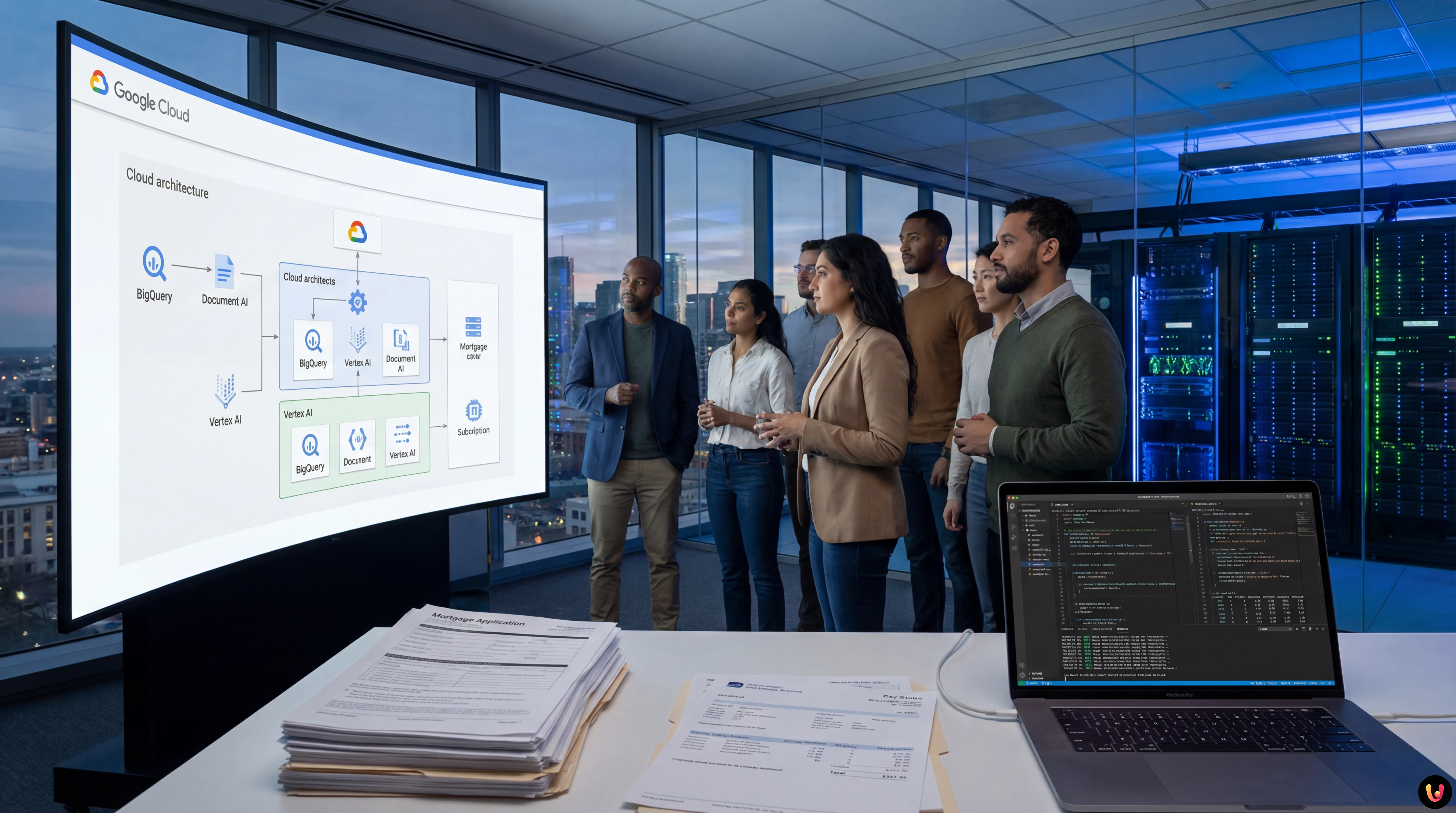
The Data Lakehouse Paradigm in Fintech
Traditionally, banks maintained two separate stacks: a Data Lake (e.g., Google Cloud Storage) for raw files and a Data Warehouse (e.g., legacy SQL databases or early MPPs) for Business Intelligence. This approach resulted in data duplication, high latency, and information misalignment.
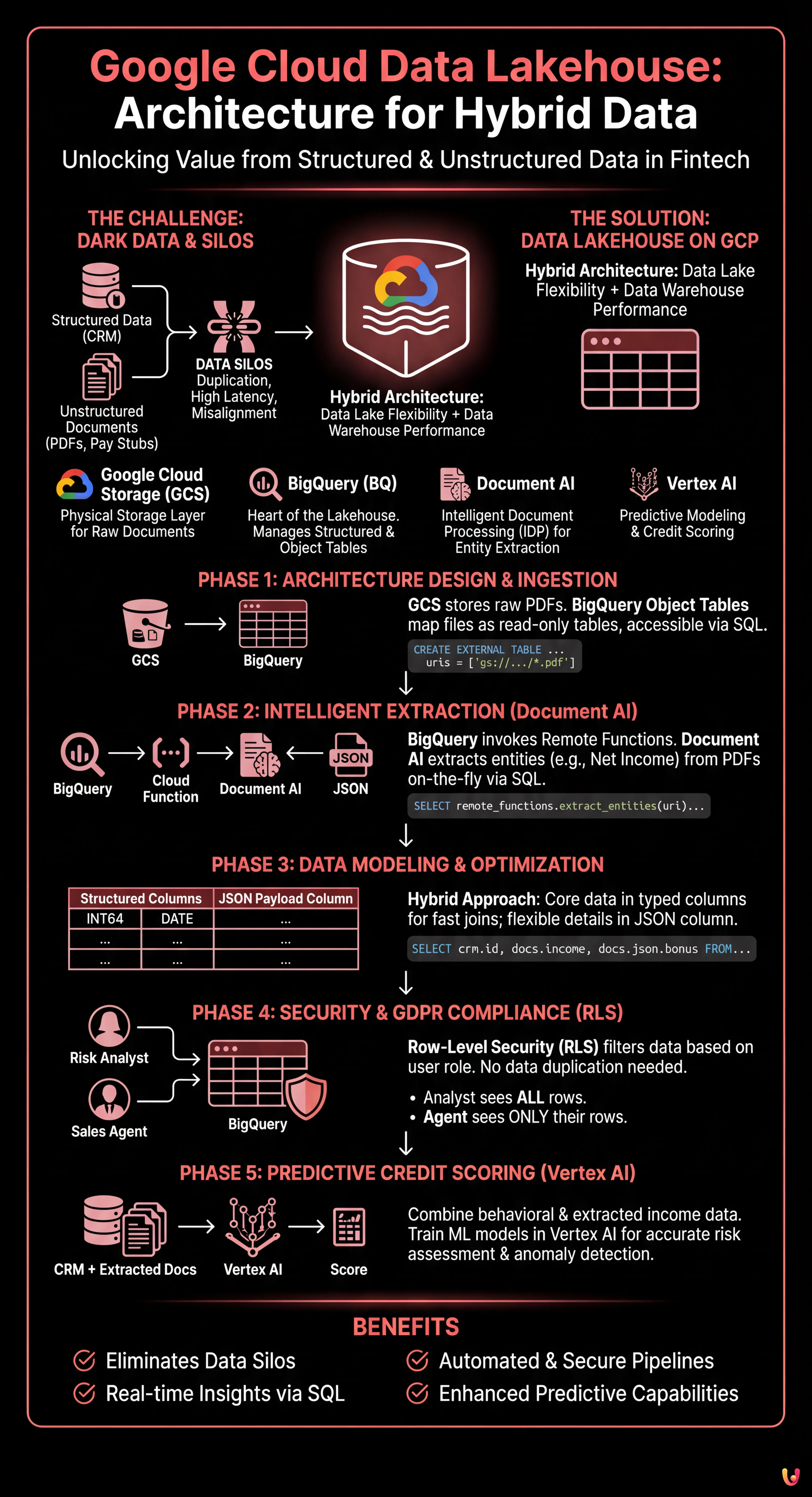
The Data Lakehouse on Google Cloud Platform (GCP) solves this problem by allowing files stored in object storage to be treated as if they were tables in a relational database, while maintaining low storage costs and high warehouse performance.
Key Architecture Components
- Google Cloud Storage (GCS): The physical storage layer for documents (PDF, JPG, TIFF).
- BigQuery (BQ): The heart of the Lakehouse. It manages both structured data (CRM) and unstructured file metadata via Object Tables.
- Document AI: The intelligent document processing (IDP) service for extracting key entities.
- Vertex AI: For training credit scoring models based on unified data.
Phase 1: Architecture Design and Ingestion
The first step to building an effective google cloud data lakehouse is to correctly structure the ingestion layer. We are not simply uploading files; we are preparing the ground for analysis.
Configuring Object Tables in BigQuery
Starting with recent GCP updates, BigQuery allows the creation of Object Tables. These are read-only tables that map files present in a GCS bucket. This allows us to view pay stub PDFs directly inside BigQuery without moving them.
CREATE OR REPLACE EXTERNAL TABLE `fintech_lakehouse.raw_documents`
WITH CONNECTION `us.my-connection`
OPTIONS (
  object_metadata = 'SIMPLE',
  uris = ['gs://mortgage-docs-bucket/*.pdf']
);
With this single SQL statement, we have made our document archive accessible via SQL. We can query metadata (creation date, size, filename) as if they were structured columns.
Phase 2: Intelligent Extraction with Document AI and Remote Functions

Having files listed in BigQuery is not enough. We need to read their content. This is where the integration between BigQuery and Document AI via Remote Functions comes into play.
Instead of building complex ETL pipelines with Dataflow or external Python scripts, we can invoke the extraction model directly from a SQL query. Imagine needing to extract “Net Income” and “Employer” from pay stubs.
1. Creating the Document AI Processor
In the GCP console, we configure a Lending Document Splitter & Parser processor (specific to the mortgage sector) or a Custom Extractor processor trained on specific pay stubs.
2. Implementing the Remote Function
We create a Cloud Function (Gen 2) that acts as a bridge. This function receives the file URI from BigQuery, calls the Document AI API, and returns a JSON object with the extracted entities.
3. Extraction via SQL
Now we can enrich our raw data by transforming it into structured information:
CREATE OR REPLACE TABLE `fintech_lakehouse.extracted_income_data` AS
SELECT
  uri,
  remote_functions.extract_entities(uri) AS json_data
FROM
  `fintech_lakehouse.raw_documents`
WHERE
  content_type = 'application/pdf';
The result is a table containing the link to the original document and a JSON column with the extracted data. This is the true power of the google cloud data lakehouse: unstructured data converted to structured data on-the-fly.
Phase 3: Data Modeling and Schema Optimization
Once data is extracted, how should we store it? In the context of mortgages, flexibility is key, but query performance is a priority.
Hybrid Approach: Structured Columns + JSON
We advise against completely flattening every single extracted field into a dedicated column, as document formats change. The best approach is:
- Core Columns (Structured): Application ID, Tax Code, Monthly Income, Hire Date. These columns must be typed (INT64, STRING, DATE) to allow fast joins with CRM tables and optimize storage costs (BigQuery Capacitor format).
- Payload Column (JSON): Everything else from the extraction (minor details, marginal notes) remains in a column of type
JSON. BigQuery natively supports access to JSON fields with efficient syntax.
Example of a unified analytical query:
SELECT
  crm.customer_id,
  crm.preliminary_risk_score,
  docs.monthly_income,
  SAFE_CAST(docs.json_payload.extra_details.production_bonus AS FLOAT64) as bonus
FROM
  `fintech_lakehouse.crm_customers` crm
JOIN
  `fintech_lakehouse.extracted_income_data` docs
ON
  crm.tax_code = docs.tax_code
WHERE
docs.monthly_income > 2000;Phase 4: Security and GDPR Compliance (Row-Level Security)
When dealing with sensitive data such as income and appraisals, security is not optional. GDPR requires that access to personal data be limited to strictly necessary personnel.
In a google cloud data lakehouse, it is not necessary to create separate views for each user group. We use BigQuery’s Row-Level Security (RLS).
Implementing Access Policies
Suppose we have two user groups: Risk Analysts (full access) and Sales Agents (limited access only to their own applications).
CREATE ROW ACCESS POLICY commercial_filter
ON `fintech_lakehouse.extracted_income_data`
GRANT TO ('group:sales-agents@bank.it')
FILTER USING (agent_id = SESSION_USER());
With this policy, when an agent executes a SELECT *, BigQuery will automatically filter the results, showing only the rows where the agent_id matches the logged-in user. Sensitive data of other customers remains invisible, ensuring regulatory compliance without duplicating data.
Phase 5: Predictive Credit Scoring with Vertex AI
The last mile of our Lakehouse is data activation. Now that we have combined behavioral data (payment history from CRM) with real income data (extracted from pay stubs), we can train superior Machine Learning models.
Using Vertex AI integrated with BigQuery, we can create a logistic regression model or a neural network to predict the probability of default (PD).
- Feature Engineering: We create a view in BigQuery that joins CRM and Document tables.
- Training: We use
CREATE MODELdirectly in SQL (BigQuery ML) or export the dataset to Vertex AI for AutoML. - Prediction: The trained model can be called in batch every night to recalculate the risk score of all open applications, flagging anomalies between declared income and income extracted from documents.
Conclusions

Implementing a google cloud data lakehouse in the mortgage sector radically transforms operations. It is not just about technology, but about business speed: moving from days to minutes for mortgage pre-approval.
The presented architecture, based on the tight integration between BigQuery, GCS, and Document AI, offers three immediate competitive advantages:
- Unification: A single source of truth for structured and unstructured data.
- Automation: Reduction of human intervention in data extraction (Data Entry).
- Compliance: Granular access control native to the database.
For financial institutions looking to 2026 and beyond, this convergence of document management and data analytics represents the de facto standard for remaining competitive in a market increasingly driven by algorithms.
Frequently Asked Questions

A Data Lakehouse on Google Cloud is a hybrid architecture that combines the cost-effective storage flexibility of Data Lakes with the analysis performance of Data Warehouses. In the financial sector, this approach allows for the elimination of silos between structured data and unstructured documents, such as PDFs, enabling unified SQL queries. The main benefits include reducing data duplication, lowering storage costs, and the ability to obtain real-time insights for processes like mortgage approval.
PDF analysis in BigQuery is done using Object Tables, which map files present in Google Cloud Storage as read-only tables. To extract data contained in the documents, Remote Functions are integrated to connect BigQuery to Document AI services. This allows for invoking intelligent extraction models directly via SQL queries, transforming unstructured information, such as the net income from a pay stub, into structured data ready for analysis.
Sensitive data security and GDPR compliance are managed through BigQuery native Row-Level Security (RLS). Instead of creating multiple copies of data for different teams, RLS allows defining granular access policies that filter visible rows based on the connected user. For example, a risk analyst can see all data, while a sales agent will only view their own clients applications, ensuring privacy without duplication.
Vertex AI enhances credit scoring by using unified Lakehouse data to train advanced Machine Learning models. By combining payment history present in the CRM with real income data extracted from documents via Document AI, it is possible to create more accurate predictive models. These algorithms can calculate the probability of default and detect anomalies between declared and actual income, automating and making risk assessment more secure.
The pillars of this architecture include Google Cloud Storage for physical storage of raw files and BigQuery as the central engine for analyzing structured data and metadata. Added to these are Document AI for intelligent document processing (IDP) and entity extraction, and Vertex AI for applying predictive models on consolidated data. This combination transforms a simple archive into an active and automated analytical platform.



Did you find this article helpful? Is there another topic you'd like to see me cover?
Write it in the comments below! I take inspiration directly from your suggestions.